ArbiterPay
Getting Set-Up
Getting Access to Your Team's Schedule
If you do not already have an ArbiterSports account, or you have an account but do not have access to CTWLOO and your team's schedule, you need to contact Johanna Owens at assigner@ctwloo.org.
Johanna is the Assigner for girls lacrosse in Central Texas. She is responsible for managing the teams' schedules, including game additions and cancellations, and assigning officials for all games.
Send the name, role, team association(s) and email address(es) of each person you want to have access to Johanna at assigner@ctwloo.org. Please CC the Treasurer, Rachel Gozhansky at treasurer@ctwloo.org. Also note whether the person should have the ability to see and manage payments to officials, or only the ability to access the game schedule. Johanna or Rachel will add you to our system and a Welcome email will be sent from ArbiterSports with set-up instructions.
Becoming a Billing Contact
If you have an ArbiterSports account with access to CTWLOO and your team's schedule but do not see the option to "Pay Officials," email Treasurer Rachel Gozhansky at treasurer@ctwloo.org and Assigner Johanna Owens at assigner@ctwloo.org to let them know you should have the ability to see and manage payments to officials.

Linking an Existing ArbiterPay Account
NOTE: ArbiterPay is a separate account from ArbiterSports so if you have not previously set up an ArbiterPay account for your program you will need to do that first: Setting up a New ArbiterPay Account.
Navigate to the Payroll section.
Click the Link icon on the right.

In the pop up window, select your Central Texas girl's lacrosse team name from the drop down.

Enter your ArbiterPay username and select Search. Your ArbiterPay account number will be autopopulated.
Click Add Account.

Enter your ArbiterPay PIN and Confirm.

Setting Up a New ArbiterPay Account
Under the Schedules section, Click Pay Dashboard.

Select the first option to Set Up Pay Account.

Follow the prompts to set up you ArbiterPay account:
- Start by filling out the information for your team or school.
- Once the business information is verified, you will be asked for your personal information. According to ArbiterSports, this Personal Information will not be saved and is for verification purposes only.
- Set up the Team's ArbiterPay 4 Digit PIN.
The PIN will be required anytime someone wishes to transfer funds, make payments or edit settings. - Select whether you would like ArbiterSports to provide 1099s to your officials for you. CTWLOO recommends selecting Yes.
NOTE: Be sure to save your Team's ArbiterPay 4 Digit PIN. This PIN will stay with the account and need to be passed on to the next Treasurer or whoever is responsible for paying through ArbiterPay.

Now that your account has been set up, when you go to the Payroll section, you should see your account information including your available balance, which will start at $0.
In order to pay officials through ArbiterPay you must first fund your account: Uploading Funds

Uploading Funds
In order to pay officials through ArbiterPay you must first fund your account.
Arbiter offers 4 ways to fund your ArbiterPay account. For full details.
| Funding Method | Processing Time | Processing Fee |
|---|---|---|
| linked bank account | 3-4 business days | free |
| ACH transfer | next business day | free |
| wire transfer | same business day | $20 |
| mailed check | based on carrier | $5 |
Linking a Bank Account to Arbiter
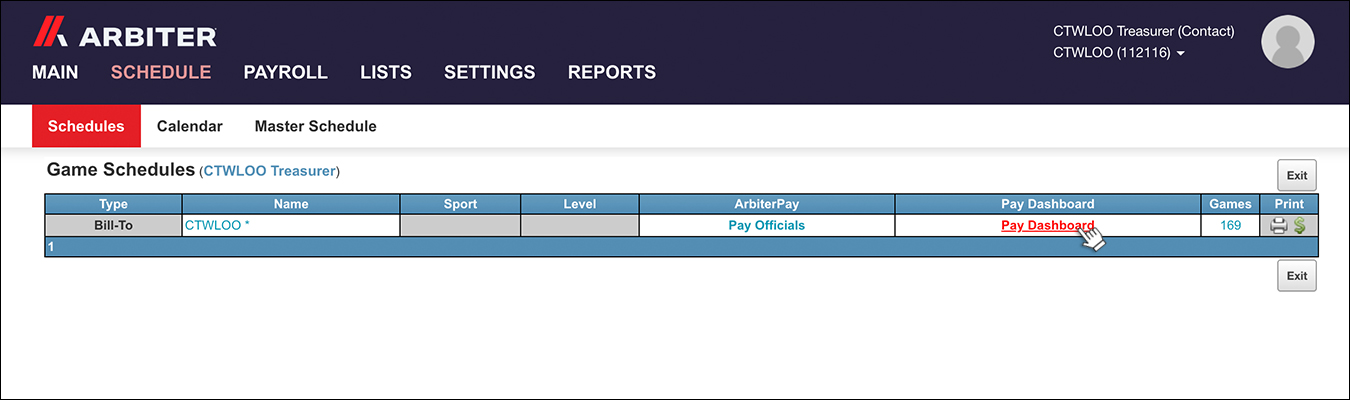
Click on "Pay Dashboard" from the Schedule section.
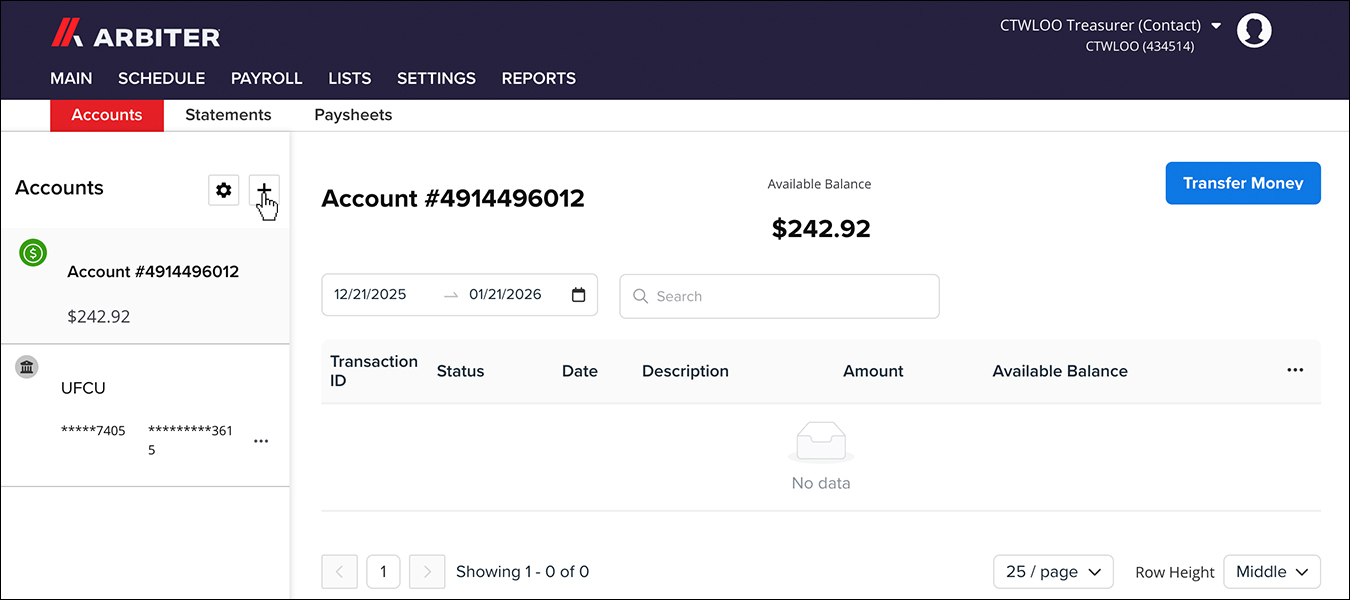
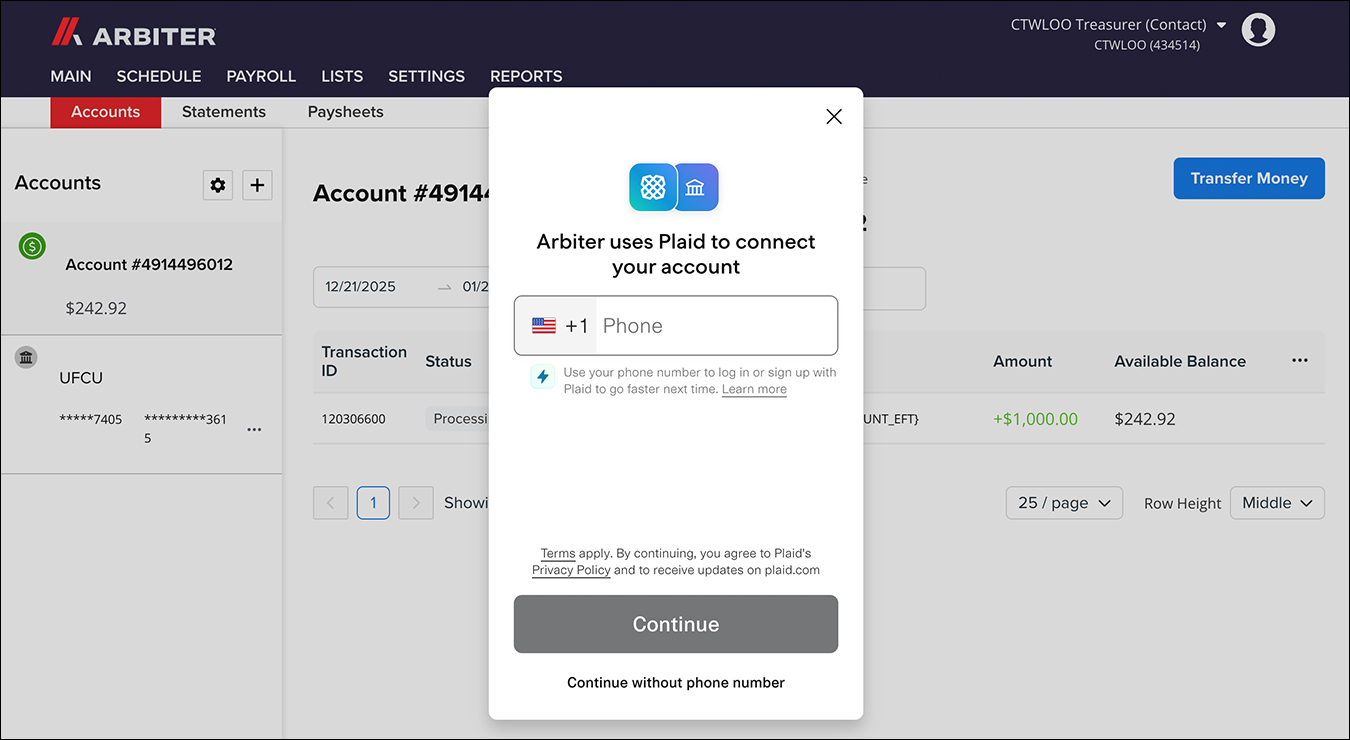
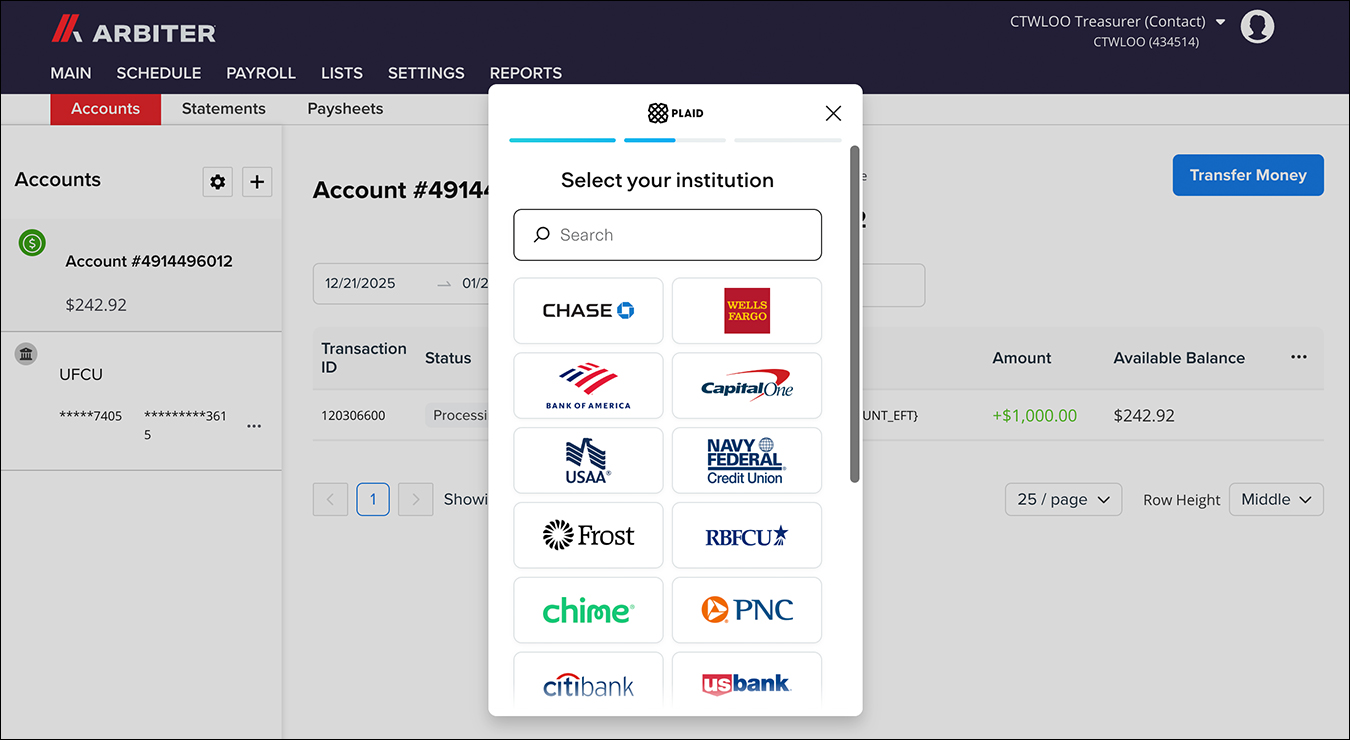
On the left, under "Accounts", click the "+" button.
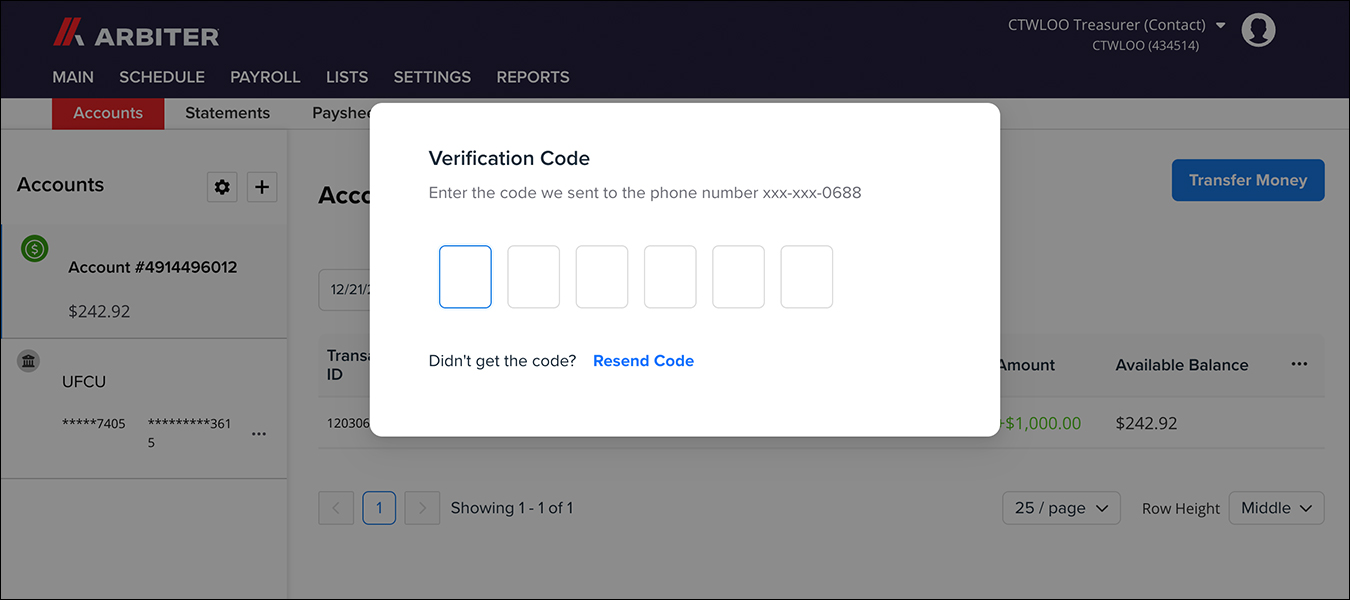
If you have two factor authentication turned on, you may be prompted to input a verification code.
Follow the instructions on the pop-up windows to link your team's bank account(s).
Transferring Funds from a Linked Bank Account
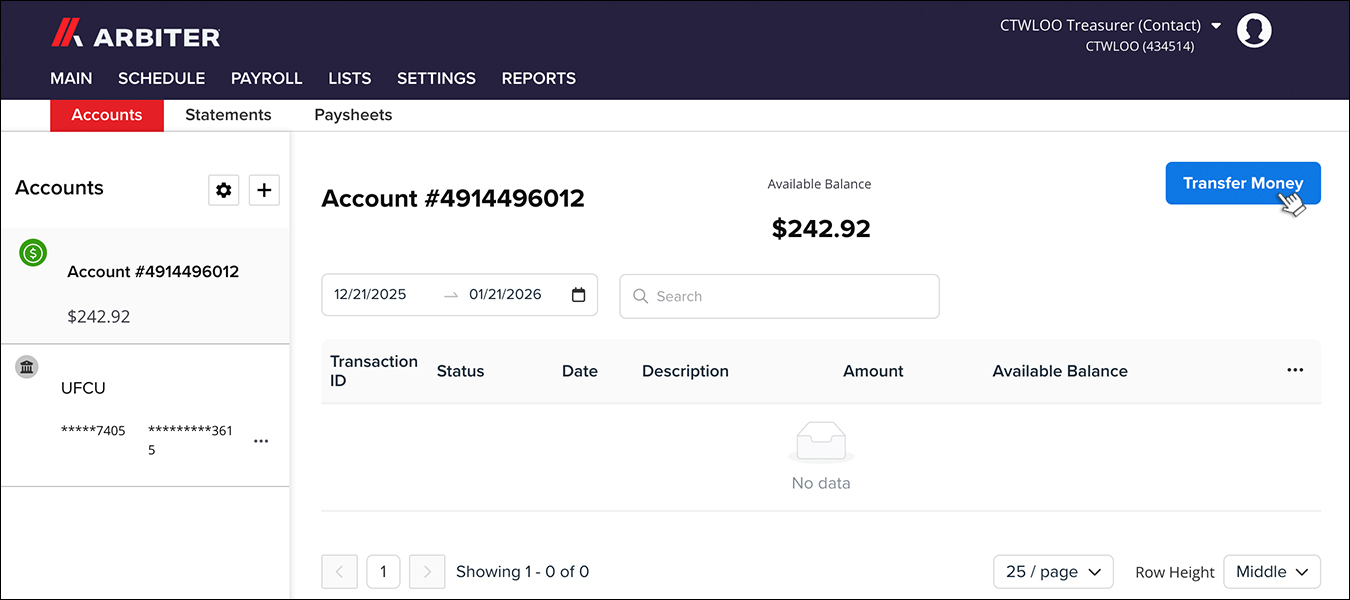
Click on "Pay Dashboard" from the Schedule section.
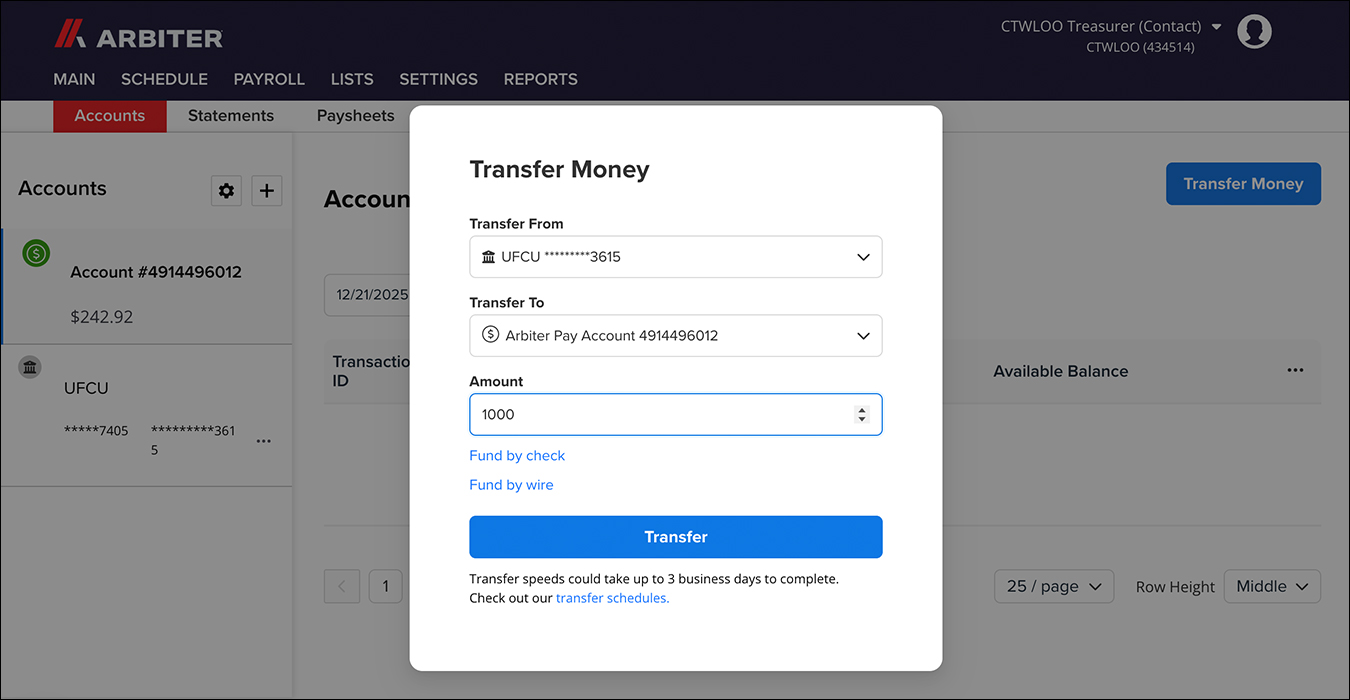
Click "Transfer Money" button on the top right.
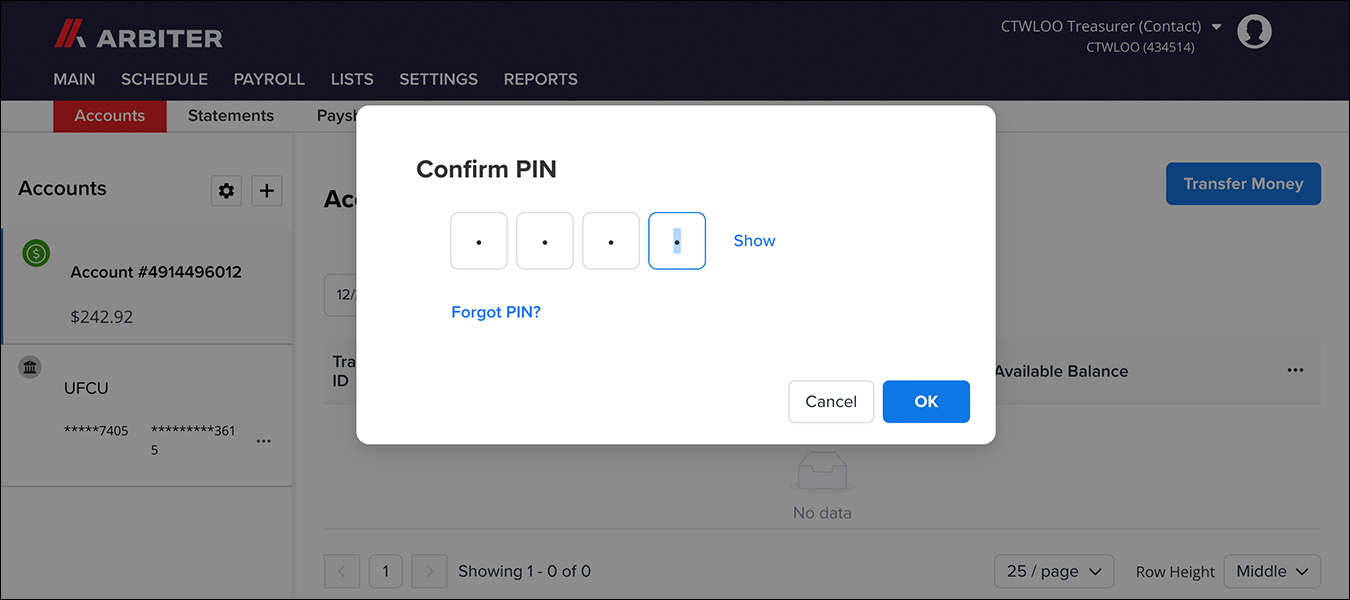
Enter your team's ArbiterPay PIN in the pop-up window.
Select which accounts you want to transfer money From and To and enter the amount you want to transfer. Click "Transfer."
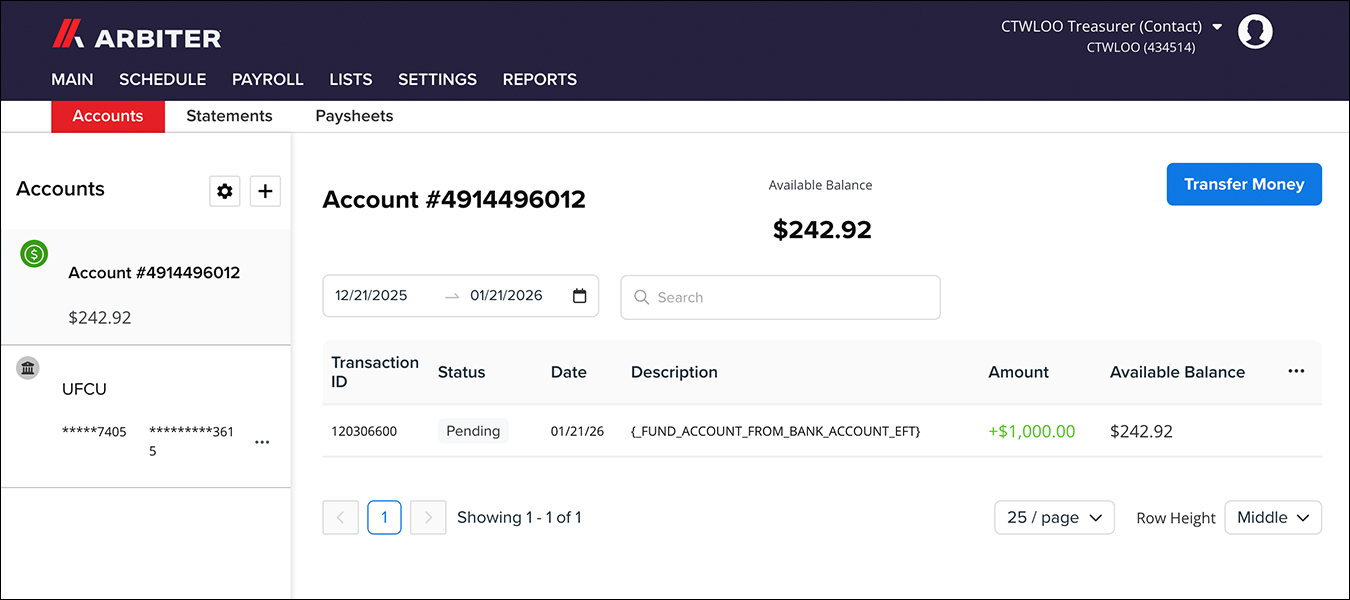
You will see the new transaction listed as "Pending." It will take 3-4 business days for the funds to be available in your ArbiterPay account.
Paying Officials
Click on Pay Officials from the Schedule section.

You will see a list of each official who has worked a completed game where your team was designated as the Home Team along with the date of the game, level of play and the fee due to each official.

If you click the 3 dots on the right it will expand to show the game fee and travel fee breakdown.

Check the box next to the officials you want to pay. Enter your PIN and then click Pay.

Transferring Money thru ArbiterPay
One of the ways teams can pay a CTWLOO invoice is by transferring money through ArbiterPay using the Payee Username treasurer@ctwloo.org and Payee Account Number 4914496012. The following brief video provides step by step instructions.
Arbiter Transaction Fees
Arbiter does add a small Processing Fee onto payments issued through ArbiterPay.
The fees are minimal, however Arbiter is not transparent about how the fees are calculated.
Below is a rough breakdown of the fees CTWLOO has been charged for various payment ranges in Fall 2025:
| Payment Range | Processing Fee |
|---|---|
| $0 – $100 | $1.93 |
| $75– $140 | $2.48 |
| $195 – $250 | $2.86 |
| $260 – $450 | $3.33 |
| $500 – $2,200 | $3.85 |